

The Loqate Account Section provides a full suite of usage reports in the Reporting page, which you can find here. In this article the reporting functionality and how best to keep track of your usage is explained. Regularly checking the usage for each API key - i.e. how many requests are being made and what the running costs are - is recommended in order to maintain visibility of how your services are being used. Please note that the Charged Requests field in two of the following reports represents the number of API calls that have been made, not the volume of transactions being processed in a batch. For Capture or Bulk Email Validation, this figure shows the number of addresses or email addresses included in a call. With Verify’s batch capability, be aware that this figure doesn’t represent the number of addresses verified in a batch request.Documentation Index
Fetch the complete documentation index at: https://docs.loqate.com/llms.txt
Use this file to discover all available pages before exploring further.
Main report
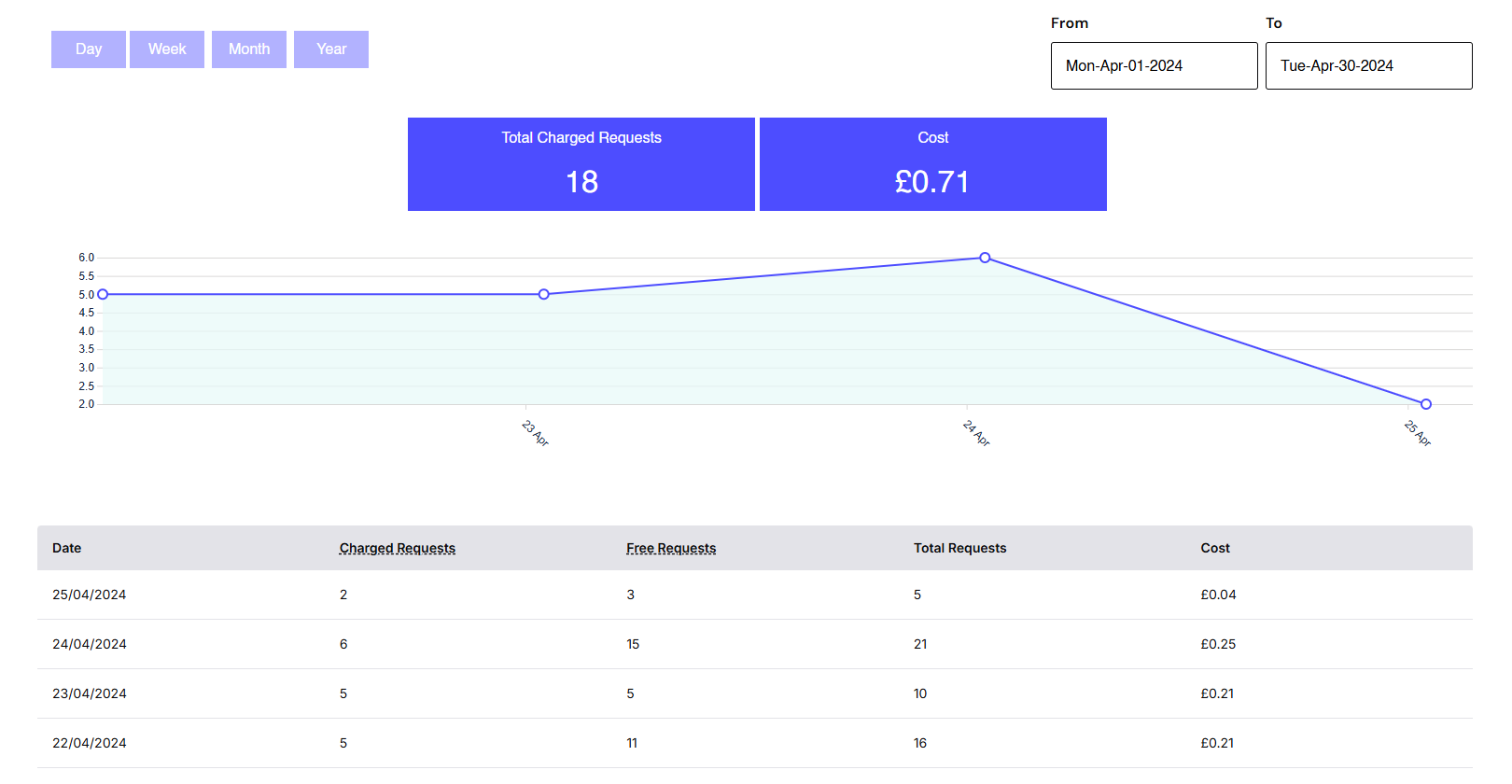
The first report you’ll see on this page shows the total number and total cost of charged requests over a given time period. You can run this report using various date ranges - note that the date range you select here will apply to all of the other reports on this page too. Here’s what it looks like run for three days: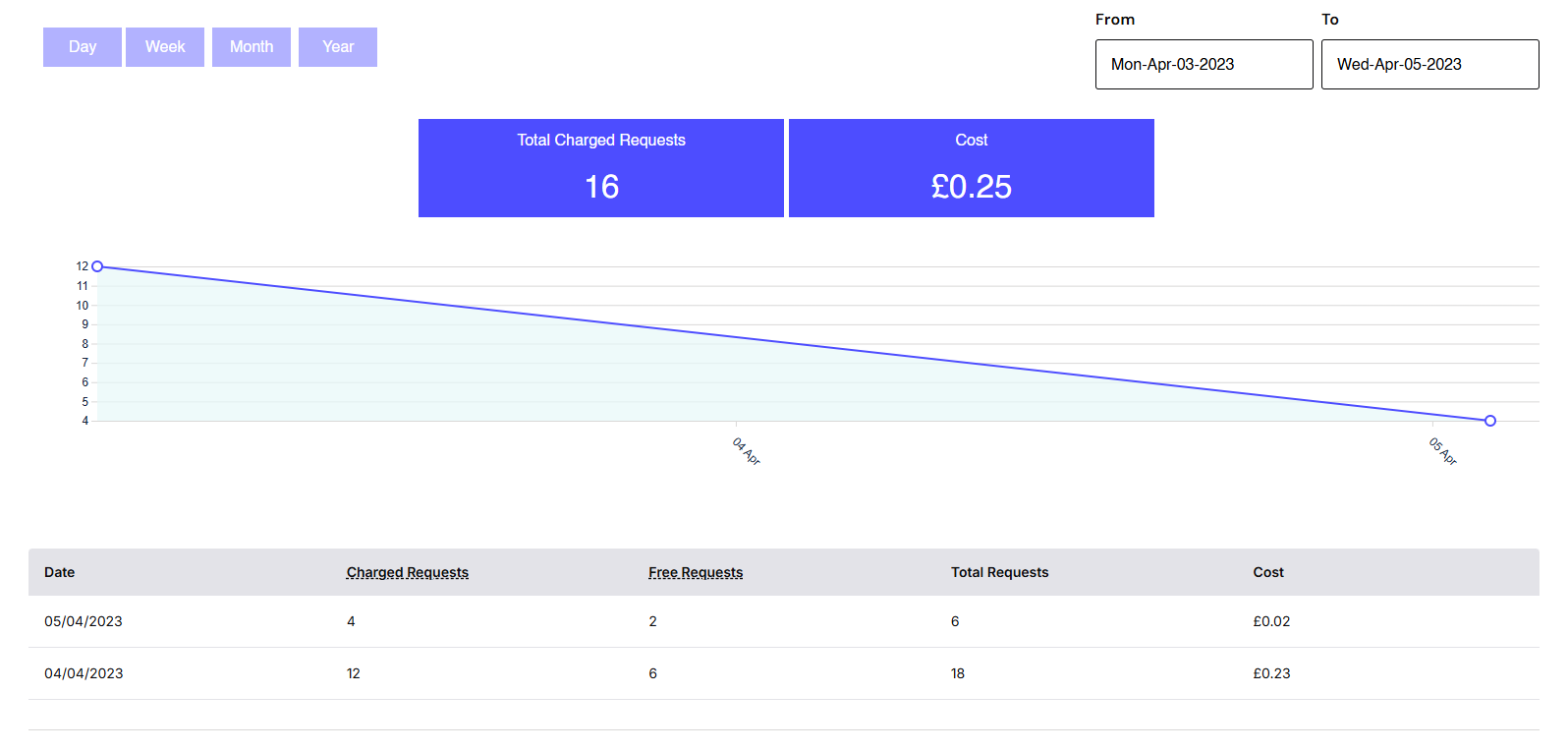
Usage Summary by Service
This report breaks down usage by product, based on the data range selected above. It defaults to All keys, but you can select a specific key if you only want to see the usage for services using that key.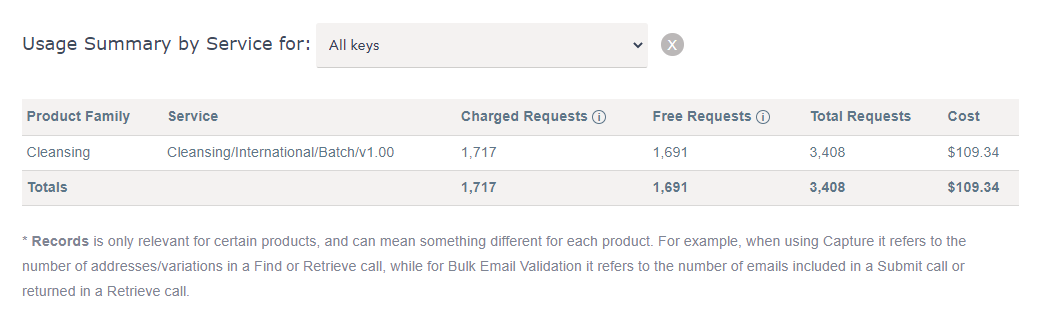

Summary Usage by Key
This report breaks down usage for each of your API keys. If you hover the mouse over each key though, you can see which product family it’s been used for.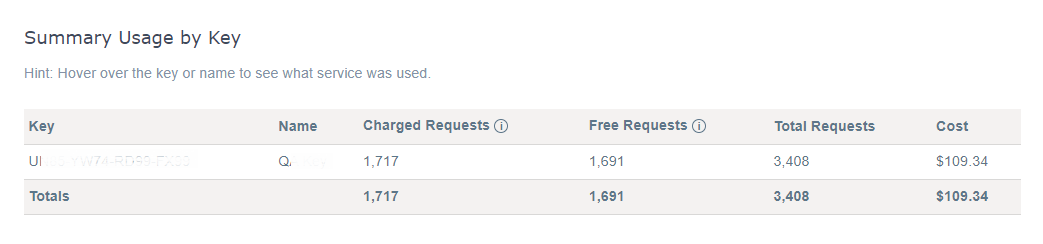
A note on terminology
Please note that the Charged Requests field in these summaries represents the number of API calls that have been made, not the volume of transactions being processed in a batch. For certain products (such as Capture and Bulk Email Validation) you will see a number of records in brackets, like this: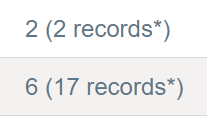
If you see any usage which doesn’t conform with what you’d expect, please don’t hesitate to contact the Loqate Support team.